

anusha-c
24 July 2026
A day in the life of an Android developer with Anbox Cloud
Meet Alex, an Android developer. Like many developers, Alex would rather spend the day building applications than managing devices, maintaining emulators, or hunting for the right test environment. Thankfully, Alex is using Anbox Cloud, which simplifies their workflows and keeps them focused on development.
In this article, we’ll follow Alex through their day to show you how it works, from feature development to release. Alex’s focus for today is building a ride-tracking feature for their ride-sharing app. It’ll need to be developed, tested, reviewed, and released.
9am: Building the feature
Alex starts their day by launching an instance in Anbox Cloud. Within seconds, they have a running Android environment. They connect the Android instance to their local development environment using Connect ADB. After authorizing the connection, they are ready to start building the feature using the development tools they are already familiar with.
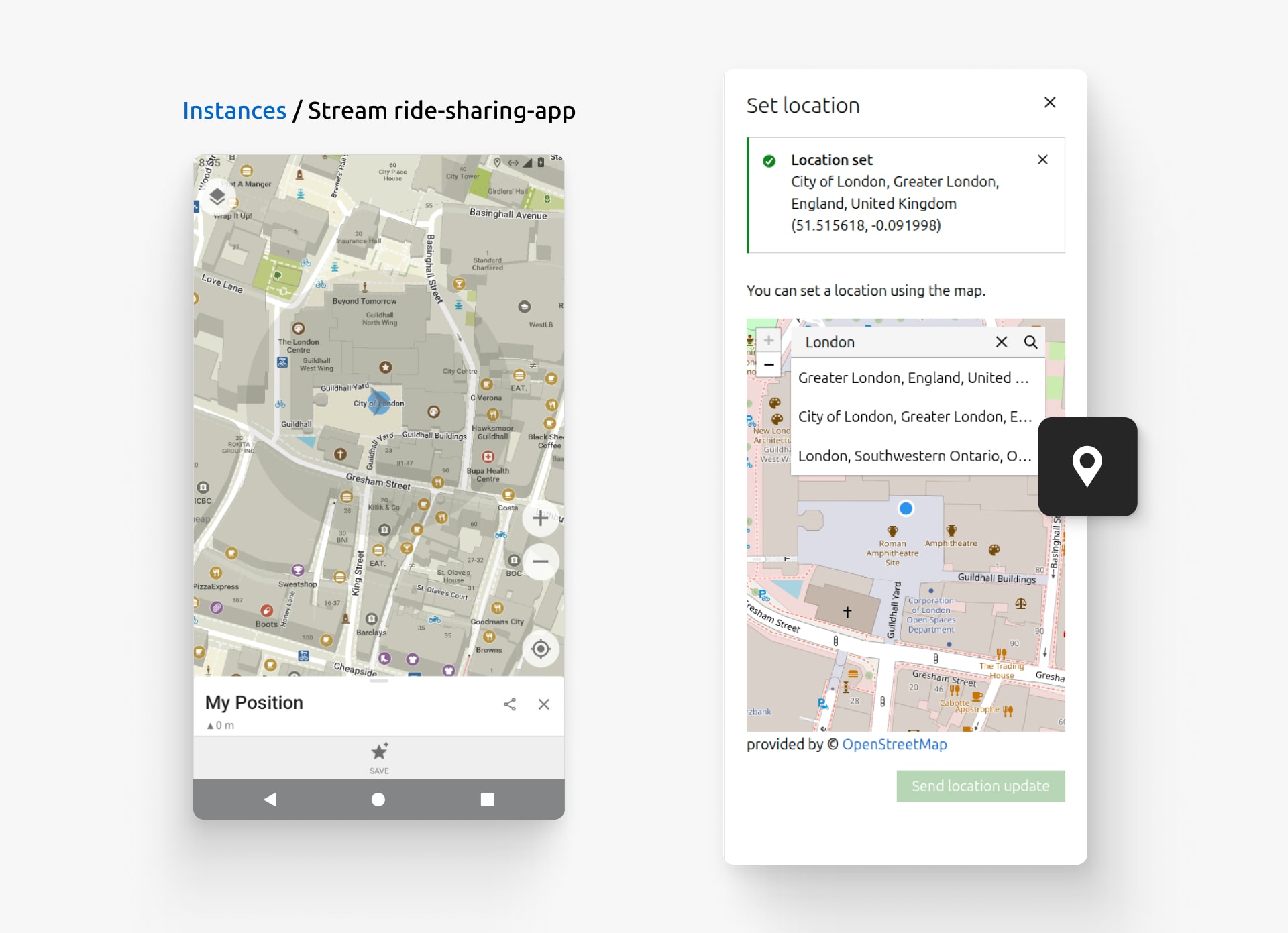
The ride tracker relies on location data, so Alex needs to verify how the application behaves in different cities. They use the Set location feature, search for “London”, and select the place they want to test. The moment they send the location update, their application immediately responds to the change, just as if they were right there! Alex clicks directly on the map to refine the exact pickup spot.
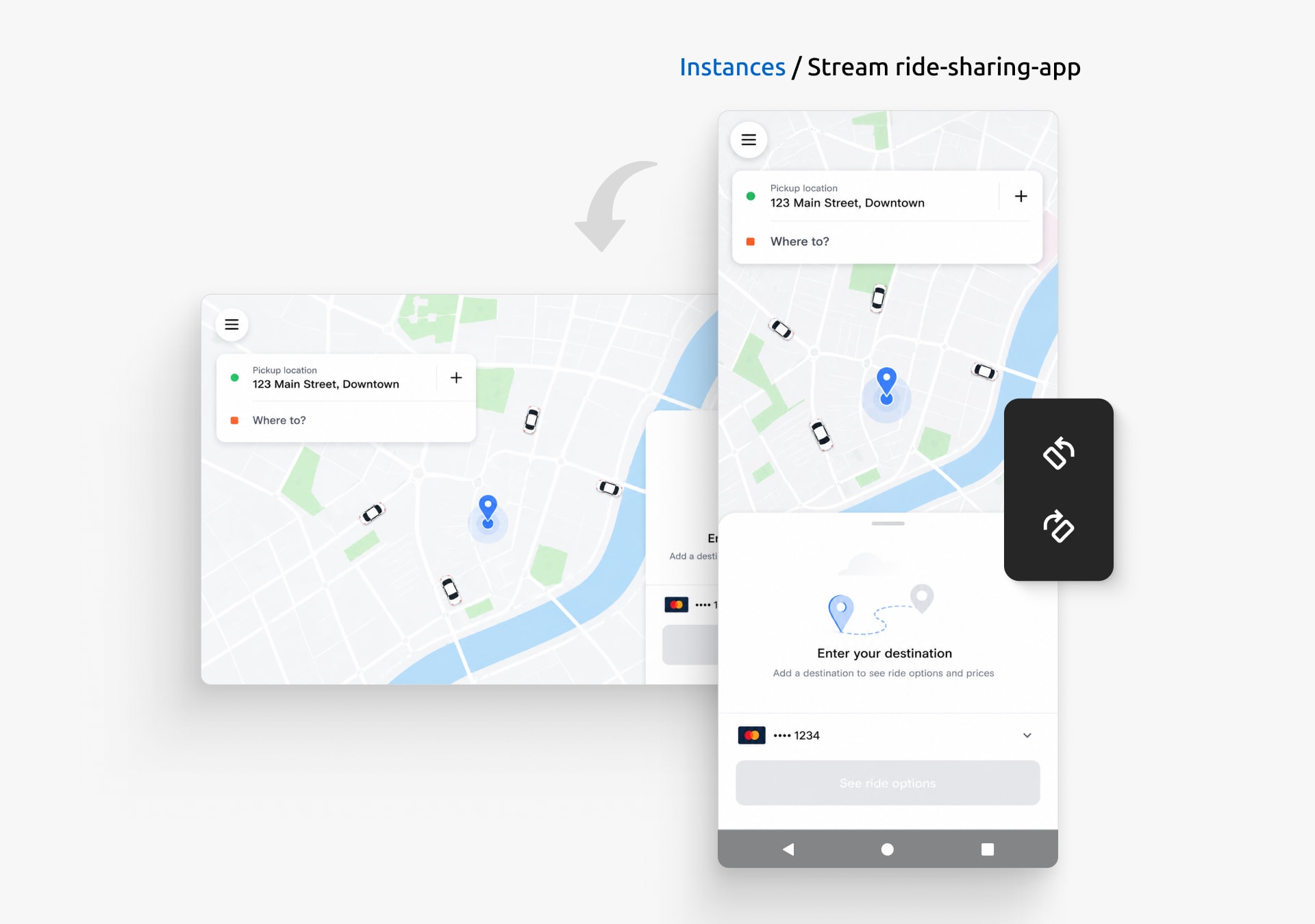
Alex also wants the ride-sharing experience to stay consistent across different devices. They rotate between portrait and landscape mode, confirming that the map, ride details, and action buttons remain easy to use regardless of how the device is held.
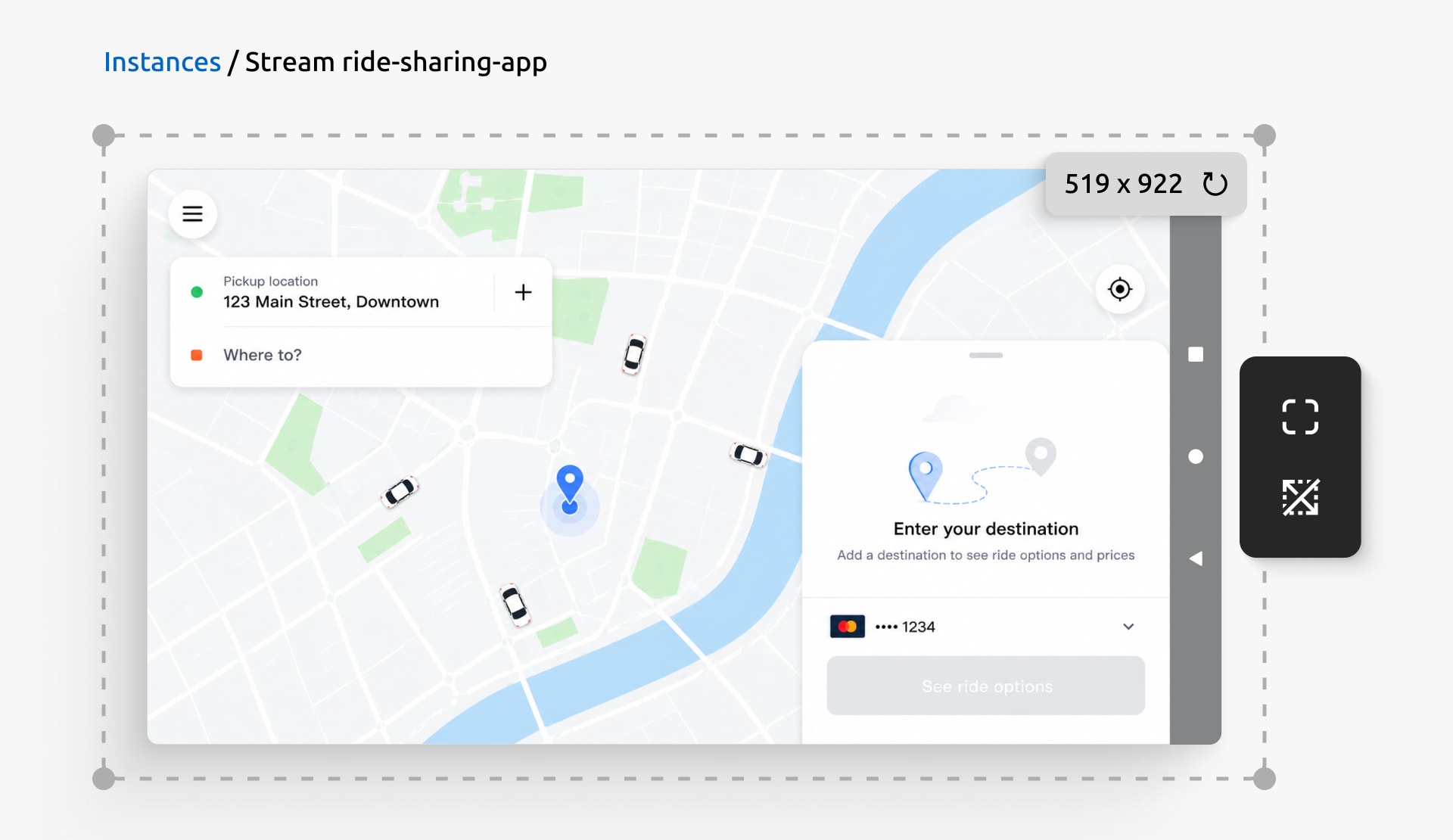
They then resize the Android device to test the ride-tracking feature across different screen sizes, switching to full screen when they want a closer look at the overall experience. Alex can use the interface to test a full range of devices their users carry.
Exploring the different user journeys, Alex navigates the app using the device controls built right into the stream page. They tap Back to step backward through the booking flow, retracing the steps a rider takes when they change their mind about a destination. They press Home to jump straight back to the main screen where a rider requests a ride. And they use Power to put the device to sleep, then wake it again: the ride-sharing application resumes exactly where the user left off.
12pm: Feature review
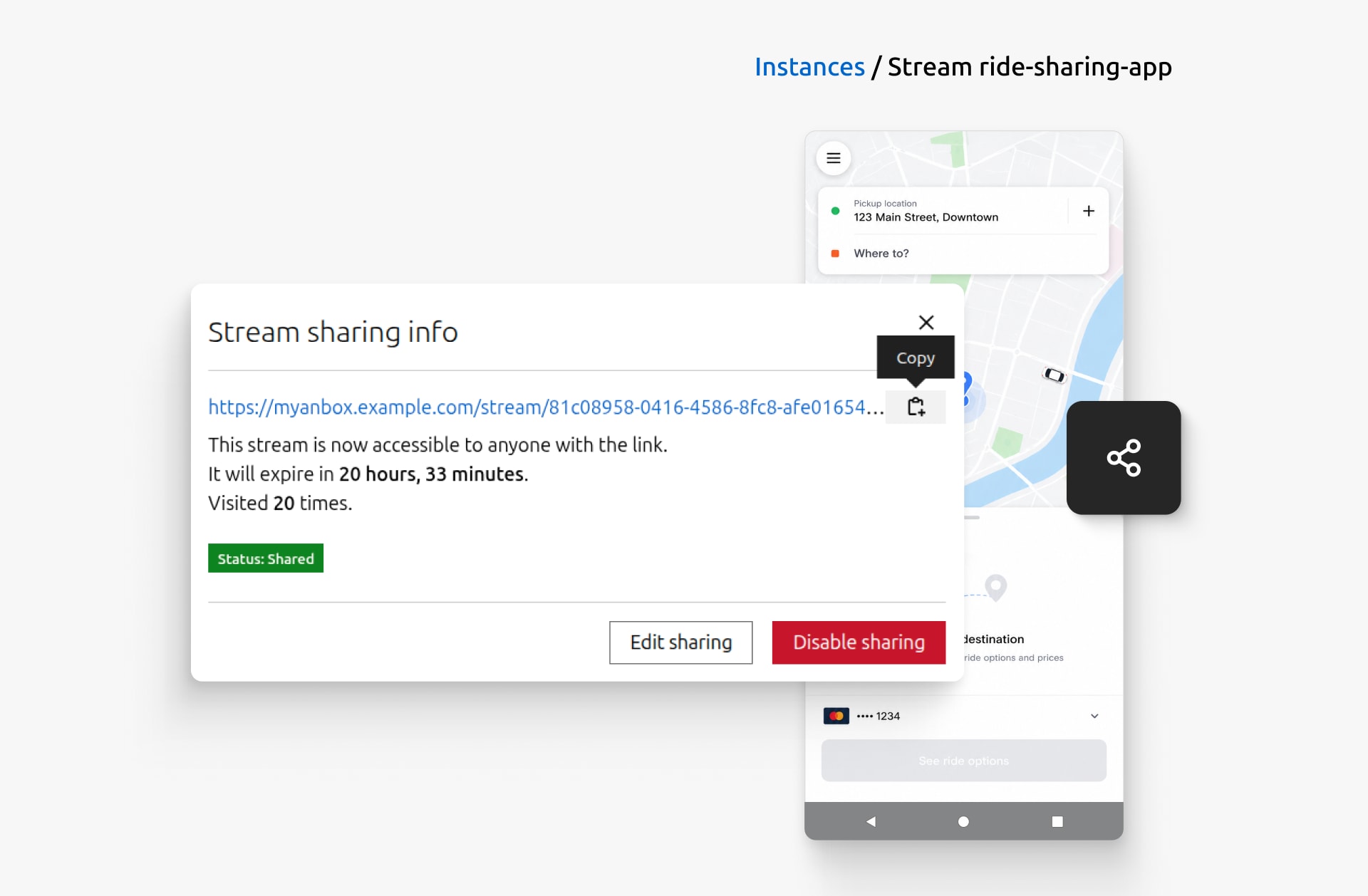
Confident the feature is ready for review, Alex sets up a shareable link. They click the Set up sharing button, set a title and expiry for the shared stream. Within seconds, they have a link ready to send. The designer and the rest of the team open the running Android application right in their browsers to try the new ride-tracking feature for themselves.
As feedback starts coming in, team members interact with the Android instance in the way that suits them. Keyboard-first users, for instance, can navigate the streaming interface and access its controls using built-in keyboard shortcuts, making common actions faster and more accessible. When they need to use browser-native shortcuts, such as Ctrl+R, they can temporarily disable the keyboard capture using a keyboard shortcut. This lets them seamlessly switch between interacting with the Android instance and using browser-native shortcuts, all without reaching for the mouse.
3pm: Fixing bugs and setting up automated testing
The hands-on testing pays off: the QA team reports a bug that only appears when switching between locations during a ride. Alex opens the Developer tools and inspects the application logs to understand what’s happening behind the scenes. They filter log entries by severity, search for specific messages, and pause the live log stream while investigating the issue. Once Alex identifies the root cause, they export the relevant logs and share them with the team, resolving the issue and restoring the expected behavior.
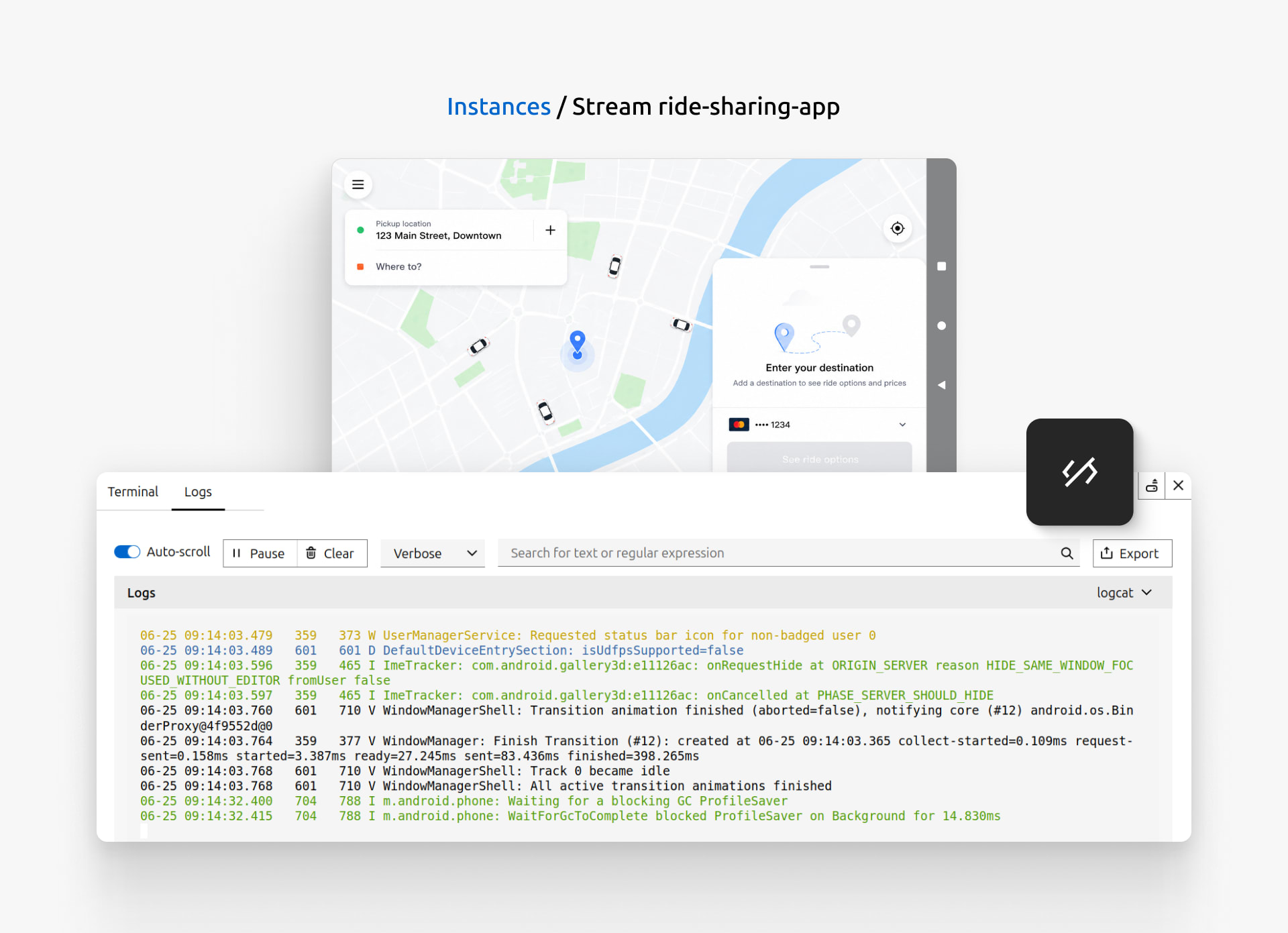
To avoid running into similar issues, Alex writes automated tests for the new ride-tracking feature and integrates them into their CI/CD pipeline. Using Anbox Cloud GitHub Actions, whenever the workflow runs, a fresh Android environment is provisioned automatically. This ensures that future changes won’t introduce any regressions to the ride-sharing application.
5pm: Preparing to ship
Now that the feature is complete, Alex is finally ready to ship it to users. Before announcing the release, Alex uses the screenshots feature to highlight key parts of the ride-tracking experience and records a short demo using the screen recording feature. Alex then uses these assets to prepare the release notes, documentation, and announcement.
Alex knows that if anything about the stream ever needs looking into, the Download bug report button is one click away. It quickly collects diagnostic information that can be used to investigate the issue or shared with the Anbox Cloud team.
By the end of the day, Alex has taken the ride-tracking feature from first line of code to finished release: developing, testing, debugging, and automating, all from a single platform. And that’s a day in the life of an Android developer with Anbox Cloud.
Explore Anbox Cloud in action and discover how it can streamline your development workflow!


